
1
Install the Chrome Extension
Add Waplify to Chrome, Edge, Brave, or Opera from the Chrome Web Store. The extension is only a few KB and asks for the minimum permissions needed: storage, downloads, and access to WhatsApp Web.

Waplify's free WhatsApp Contact Extractor is a Chrome extension that lets you extract WhatsApp contacts, group members, and Business-label chats straight from WhatsApp Web. Download every name and phone number as a CSV file for Excel or a VCF file for Google Contacts and iPhone, in seconds, no signup, and without any of your data leaving your browser.
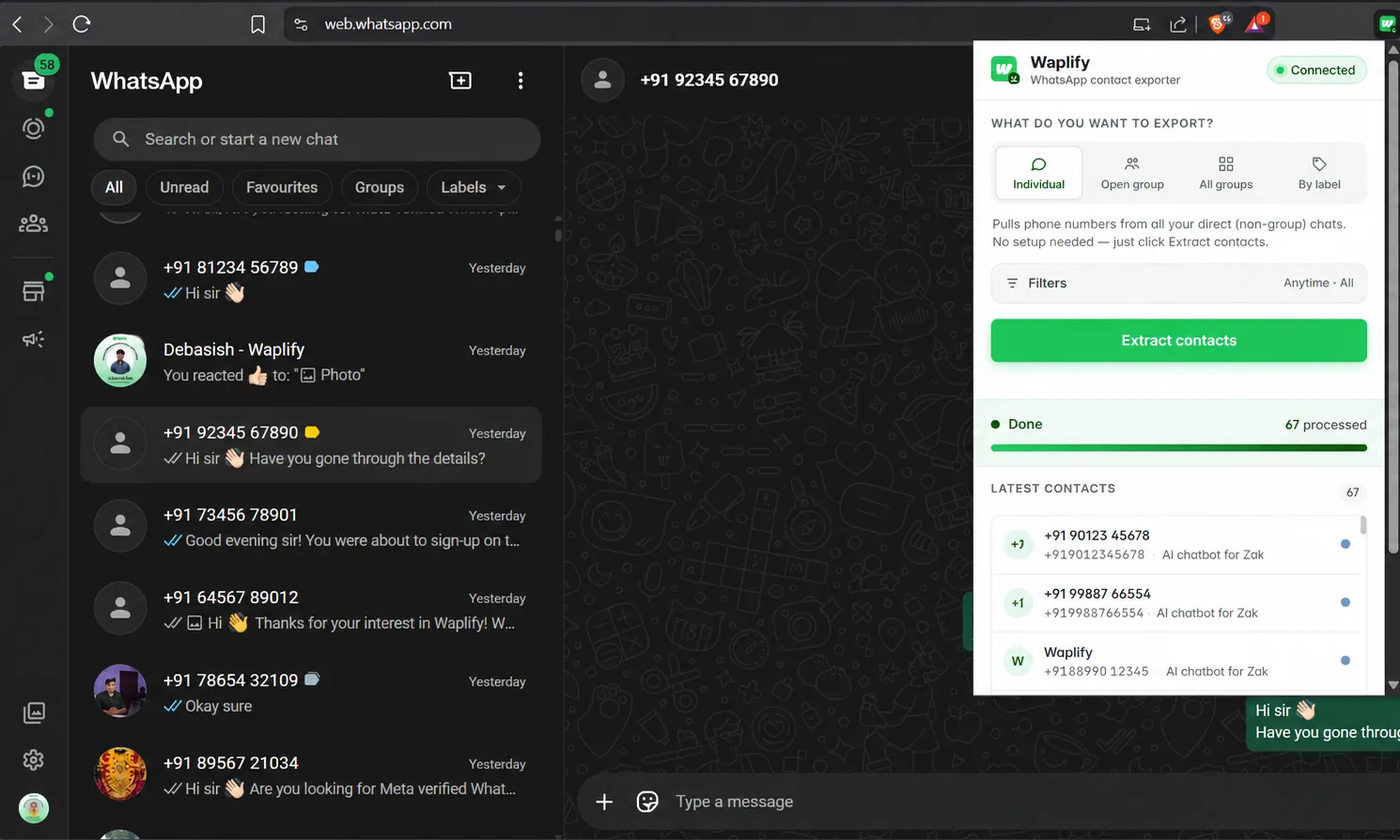
Install once, open WhatsApp Web, and download your contacts as a CSV or VCF file. No setup, no API keys, no learning curve.
Add Waplify to Chrome, Edge, Brave, or Opera from the Chrome Web Store. The extension is only a few KB and asks for the minimum permissions needed: storage, downloads, and access to WhatsApp Web.
Visit web.whatsapp.com and log in. Click the Waplify icon and choose what to extract: individual chats, a single open group, every group at once, or a specific WhatsApp Business label.
Watch contacts stream into the live preview, then click Download. CSV opens in Excel and any CRM. VCF imports directly into Google Contacts, iPhone, Android, or Outlook.
Four extraction modes cover every WhatsApp use case, from a single group to your entire chat history. Whether you need a quick WhatsApp group number extractor or a way to pull all your customer chats at once, pick the mode that fits.
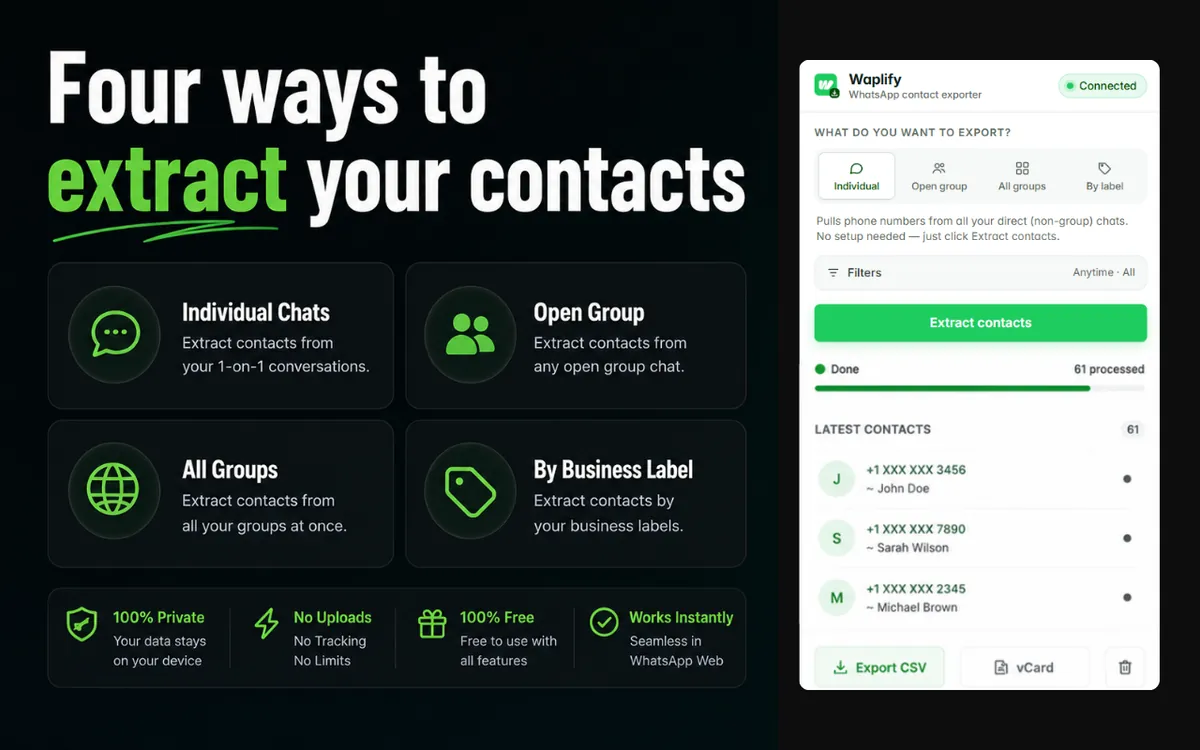
whatsapp contact extractor
Pull every contact from your direct (1-on-1) chat list. Perfect for daily inbox sweeps and capturing leads from incoming DMs. Turn every conversation into a contact list entry.
whatsapp group contact extractor
Extract every member's phone number from a single group you have open. Ideal for harvesting attendees from an event group, class, community, or course cohort.
whatsapp group number extractor
Walk every group you're in and extract all members in one sweep. The fastest way to turn dozens of community groups into a unified leads list.
whatsapp business label export
Pull only the chats tagged with a specific WhatsApp Business label such as 'Leads', 'Paid Customers', or 'VIP'. Turn your labels into ready-made CRM segments.
Two formats cover every workflow. Use CSV when you want to analyze your WhatsApp numbers list in a spreadsheet or import them into a CRM. Use VCF when you want the numbers in your phone book.
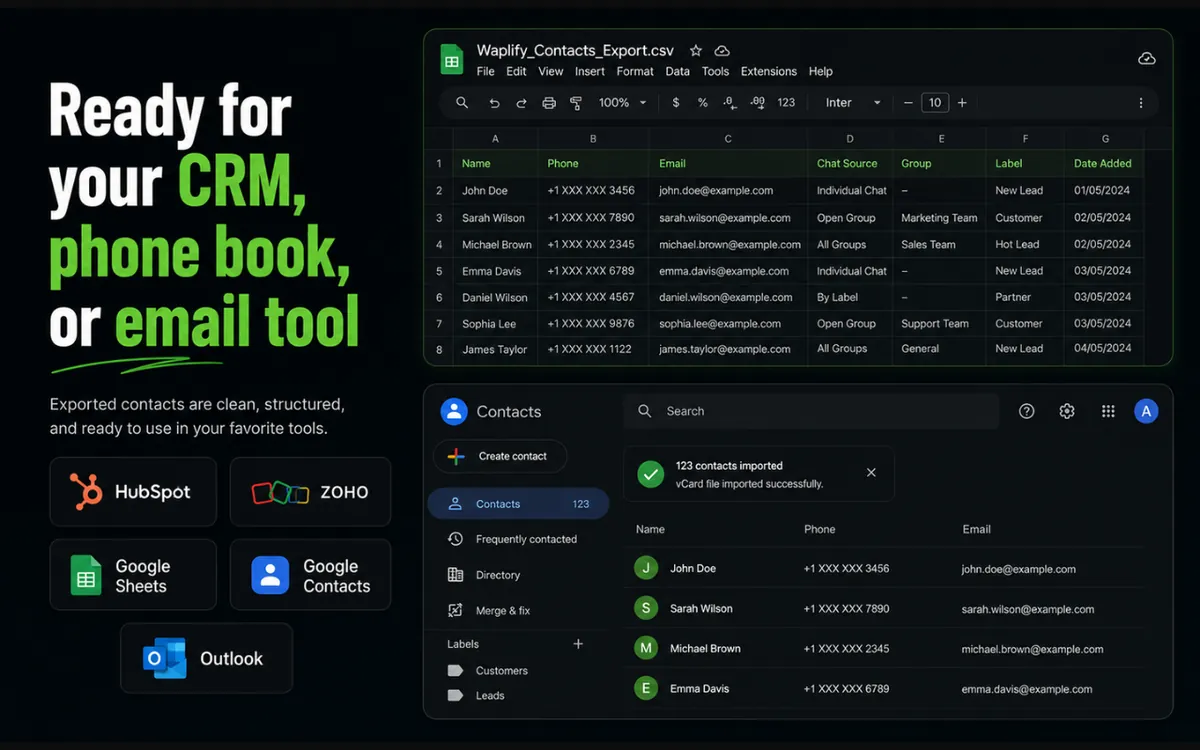
A UTF-8 encoded .csv file with a byte-order mark, so Excel opens names in any language (Hindi, Arabic, Chinese, accented Spanish) without garbling. Ten well-named columns map cleanly to any CRM import wizard.
Imports directly into:
A standards-compliant vCard 3.0 (.vcf) file. Open it on any phone or contacts app and every WhatsApp number is imported as a proper contact card. Business contacts get the verified name mapped to ORG, so they appear as company entries.
Imports directly into:
Ten fields per contact: everything a CRM, dialer, or mailing tool expects.
| Field | What it contains |
|---|---|
| name | Saved contact name, WhatsApp profile name, or verified business name. Falls back to the phone number only as a last resort. |
| phone | Full international E.164 format (e.g. +14155552671), works with any dialer, CRM, or messaging tool. |
| status | "saved" if the number is already in your address book, "unsaved" if it's a new lead. |
| labels | WhatsApp Business labels assigned to the chat. |
| source | "chatlist", "group", or "all_groups", so you always know where each contact came from. |
| group_name | Populated for group exports, so you can trace each member back to their community. |
| is_business | TRUE/FALSE flag for WhatsApp Business accounts. |
| verified_name | The official Meta-verified business name, when present. |
| last_message_at | ISO 8601 timestamp of the most recent message, perfect for sorting by recency. |
| scraped_at | When the contact row was captured. |
Don't dump everything into a spreadsheet and clean it up later. Apply filters before extraction so the CSV or VCF you download is already segmented.
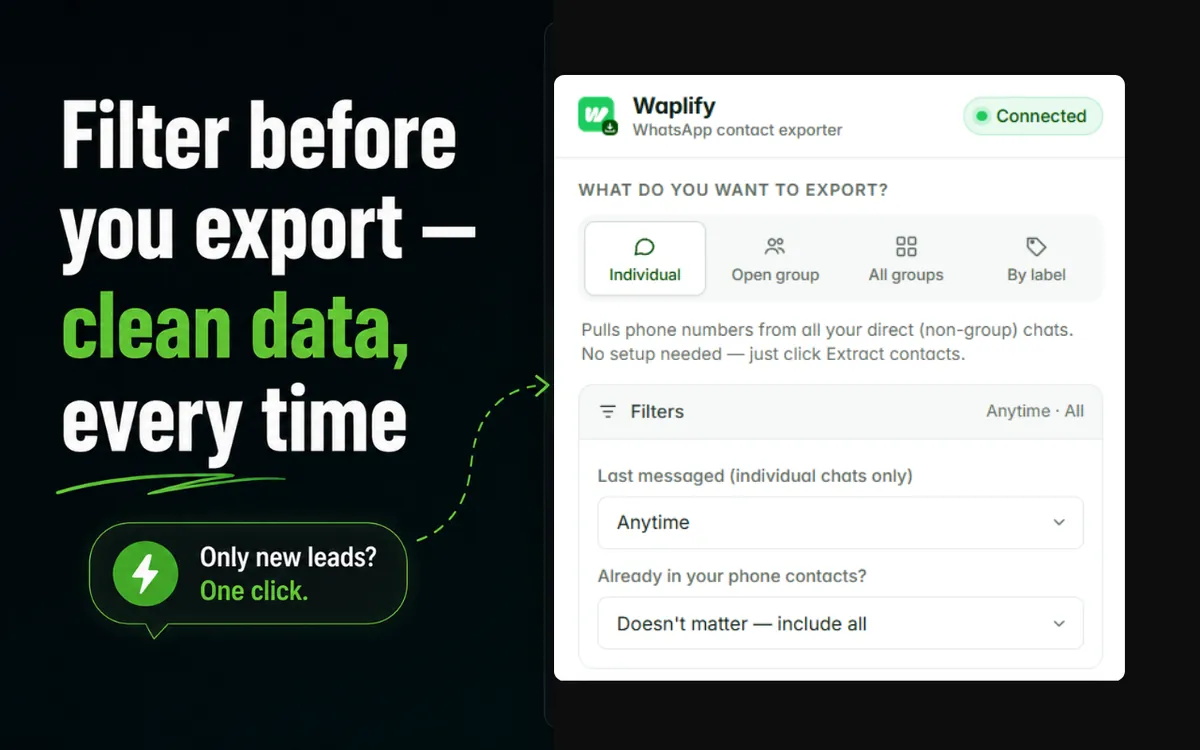
For individual chats, narrow the extraction to recent conversations: Anytime, Today, Yesterday, Last 7 days, Last 30 days, or Last 90 days. Perfect for isolating fresh leads or weekly inbox sweeps.
Extract only the contacts you don't already have: gold for sales prospecting. Or include only saved contacts for a clean address book backup. Or grab everything.
Most "WhatsApp marketing" tools ask you to log in to a cloud dashboard and upload your contact list. Waplify doesn't. Everything runs locally on your device. There is no Waplify server in the path between WhatsApp Web and your CSV file.
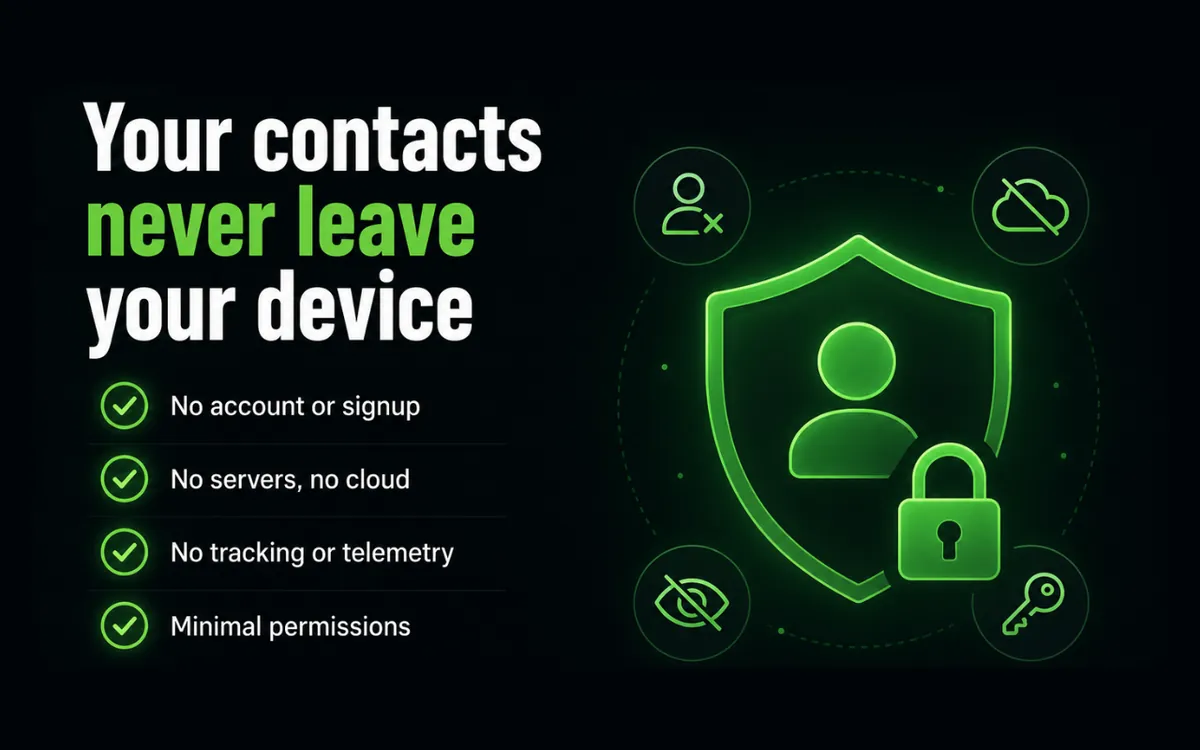
All extraction happens inside your browser. The extension has no network permissions outside WhatsApp Web itself.
No email, no password, no login, no cookies. Install and use. There is nothing to sign up for, ever.
Waplify doesn't phone home. We don't know who you are, what you extract, or how often you use the tool. We can't. There's no server to send it to.
Most browser-automation tools click through your chats one at a time and take an hour for a few hundred numbers. Waplify reads contacts directly from WhatsApp's own internal client state, so extraction is near-instant and deterministic, with no fake clicks, no flaky DOM scraping, no missed entries.
~5 sec
to export 1,000 contacts
100%
stays on your device
Free
forever, no credit card
1 click
to install and start
If you run customer conversations on WhatsApp, every chat is a lead. Here's how different teams use the WhatsApp Contact Extractor to turn their conversations into a contact list they own.
Extract every customer who has ever messaged your WhatsApp store. Import them into Mailchimp or Klaviyo for re-engagement campaigns.
Pull every prospect from your buyer and seller groups into a single contact list. Follow up without losing leads to a cluttered chat list.
Extract unsaved numbers from your sales inbox, import them straight into HubSpot or Pipedrive, and start nurturing.
Turn your student WhatsApp groups into a mailing list for course launches, live sessions, and alumni updates.
Run WhatsApp campaigns for clients? Hand them a clean CSV of their own audience, extracted from their own account, never uploaded to a third party.
Sitting on dozens of WhatsApp groups? Use 'All groups' mode to extract every member you've ever organised, in one sweep.
Extract the full attendee list from your event group the moment registration closes. Use it for reminders, photos, and post-event follow-ups.
Salons, clinics, tutors, repair shops: every walk-in chat becomes a contact in your dialer or CRM with one click.
Already label your chats? Extract any label as a CSV and treat it as a ready-made customer segment.
Once you've extracted your contacts, send them broadcasts or build chatbots with the full Waplify WhatsApp marketing suite.
5 Min
Setup Time
99.9%
Uptime Guarantee
98%
Average Read Rate
0%
Coding Required
Reach thousands in one click. Upload your extracted CSV, hit send, no daily limits.
Visual drag-and-drop builder for auto-reply flows, keyword triggers, and drip campaigns.
Track delivery, read rates, and click-throughs. See exactly which campaigns drive revenue.
Custom tags, advanced filters, group segmentation, and bulk CSV import/export.
No credit card required. Official WhatsApp Business API.
We'd rather be upfront than have you discover these after install.
The extension reads from your own browser session; you stay logged in to your account.
WhatsApp occasionally ships major changes to its web client. When that happens, the extension may briefly stop working until we push a fix, usually within days.
Labels are a WhatsApp Business feature. The other three extraction modes work on any WhatsApp account.
Extracting your own contacts is fine; using it to harvest data from accounts that aren't yours, or pairing it with spam tools, isn't. Respect WhatsApp's Terms of Service.
Answers to the most common questions about extracting and downloading WhatsApp contacts.
Install the free Waplify WhatsApp Contact Extractor from the Chrome Web Store, open the group on WhatsApp Web, click the extension icon, and choose 'Open group'. Every member's name and phone number is pulled in seconds and ready to download as a CSV or VCF file. You can also extract members from every group you're in at once using the 'All groups' mode.
Use the extractor to pull contacts from your group, then click the 'Download CSV' button. The file is UTF-8 encoded with a BOM, so Excel opens names in any language (Hindi, Arabic, Chinese, accented Spanish) without garbling them. Open the .csv file directly in Excel, Google Sheets, or Numbers. Every field maps to its own column.
After extracting your contacts, click 'Download VCF'. The file follows the vCard 3.0 standard (RFC 6350), which means it imports natively into Google Contacts, iPhone Contacts, Android Contacts, Outlook, and Apple Contacts, no conversion step needed. Business contacts are automatically mapped to ORG so they appear as company entries in your phone book.
Yes. The extension is 100% free with no paywall, no credits, no premium tier, and no signup. There are no daily limits on how many contacts you can extract. You install it once from the Chrome Web Store and it works forever.
Yes, the extractor runs directly on WhatsApp Web (web.whatsapp.com). You just need to be logged in to your WhatsApp account in the browser. There's nothing to set up on your phone, no QR code re-scan, and no API keys to configure.
Waplify reads contacts from your own WhatsApp Web session locally in your browser. It does not message anyone, send bulk broadcasts, or interact with WhatsApp's servers beyond what your normal browsing does. We recommend using the tool only on accounts you own and following WhatsApp's Terms of Service. Avoid pairing it with any bulk-sender or spam tool.
It's a contact extractor, not a scraper in the conventional sense. The extension doesn't crawl WhatsApp's servers or scrape public data. It simply reads your own logged-in contact and group data from inside your browser, then formats it as a CSV or VCF download. Nothing is uploaded; everything happens locally on your device.
Yes. The extractor is built on Chrome Extension Manifest V3, which is supported by all Chromium-based browsers: Google Chrome, Microsoft Edge, Brave, Opera, Vivaldi, and Arc. Install it from the Chrome Web Store and it works in any of them.
CSV (.csv) is a spreadsheet format, best for importing contacts into Excel, Google Sheets, or any CRM like HubSpot, Zoho, Pipedrive, or Salesforce. VCF (.vcf, also called vCard) is a contact-card format, best for adding numbers directly to your phone book in Google Contacts, iPhone, Android, or Outlook. Use CSV for analysis and marketing; use VCF for dialing and messaging.
Yes. If you use WhatsApp Business and have labels set up (such as 'New Customer', 'Paid', 'VIP'), the extractor's 'By label' mode pulls only the chats tagged with the label you choose. This is the fastest way to turn your label segmentation into a CRM-ready contact list.
Your contacts never leave your browser. There is no Waplify server involved in the extraction. The extension processes everything locally on your device. We don't require an account, we don't collect telemetry, and we don't have any cloud storage where your contact list could be uploaded. One click on 'Clear data' wipes the extension's local storage.
Every row contains the contact's name, phone number in international E.164 format (e.g. +14155552671), saved/unsaved status, WhatsApp Business labels, the source (chat list, group, or all groups), the group name if applicable, a flag for WhatsApp Business accounts, the official verified business name, the timestamp of the last message, and when the contact was captured. Ten well-named columns total, ready for any CRM.
Waplify offers a complete suite of free WhatsApp marketing tools. Try them all to maximize your customer engagement.
Add a floating WhatsApp chat button to your website. Works with WordPress, Shopify, Wix, and all platforms.
Try it freeChat LinksCreate branded click-to-chat links with pre-filled messages for ads, social bios, and email signatures.
Try it freeQR CodesGenerate scannable QR codes for business cards, flyers, and packaging that open a WhatsApp chat.
Try it freeAdd it to Chrome in one click and download your first contact list in seconds. Free forever, no signup, no credit card, no data ever uploaded.